
 Roadmap
Votes and Comments
Users vote on roadmap items and leave comments - your team can reply officially, pin important comments, and moderate what's visible.
Votes and comments are how your users tell you what matters to them. Votes rank features by demand; comments let users share context and your team close the loop.
Votes
Any visitor on the public board can upvote a roadmap item by clicking the vote pill on the left side of the card. Clicking it again removes the vote. The vote count is shown on both the board and the item’s detail page.
Items are sorted by vote count within each status column, so the most-requested features naturally float to the top.
In the admin, you can see each item’s vote count in the list and board views. You can also see who voted by opening the item.
Comments
Visitors can leave comments on any visible item’s detail page. Comments support one level of threading: users can reply to a top-level comment, but not to a reply.
Team replies
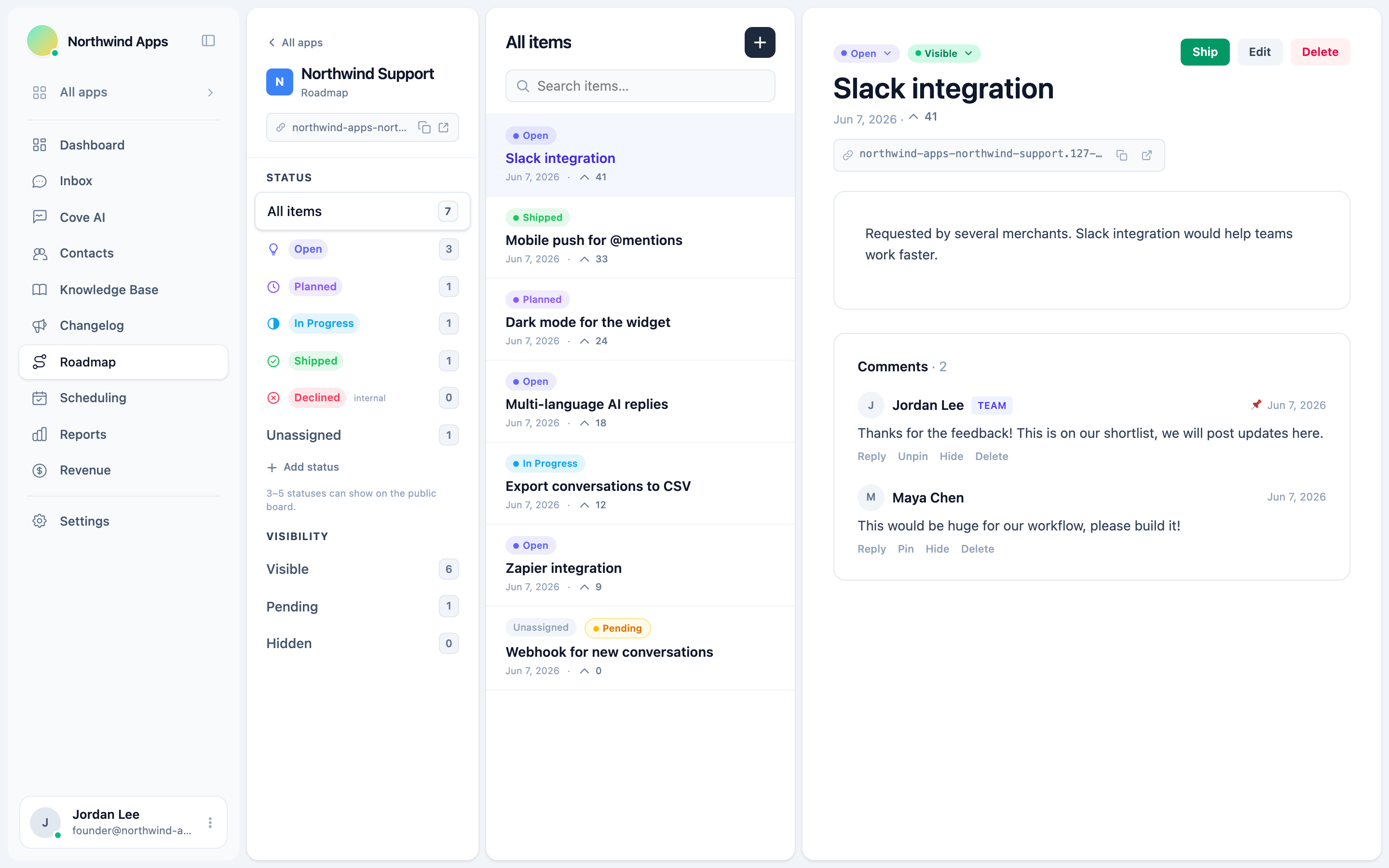
Your team can reply to comments from the admin. Team replies are badged with your team’s name so users can distinguish official responses from other users’ comments.
Pinned comments
Admins can pin a comment to keep it at the top of the thread. Use this for your official status update or the key context users should see first.
Comment visibility
Comments can be:
- Visible - shown on the public board (default for both user and team comments).
- Hidden - removed from public view without deleting. Useful for off-topic or inappropriate comments.
To hide a comment, open it in the admin and toggle its visibility.
Moderation
New comments from visitors default to visible. If you want to moderate before publishing, you can change a comment’s visibility to pending (held for review) and approve it manually. Pending comments show in the admin but not to customers.
Next steps
- Letting customers submit features - open the board to new suggestions.
- Moderating submissions - review and approve feature requests.
- The public roadmap board
Was this article helpful?
Thanks for your feedback!