
 Roadmap
Roadmap in the Widget
Enable the Roadmap section in your widget so users can browse and vote on features without leaving your app.
Your public roadmap can appear as a section inside the chat widget. Users browse items and vote without navigating away from your app.
Enabling the Roadmap section
- Go to Settings → Apps → [your app] → Chatbox → Appearance.
- Under Widget sections, toggle on Roadmap.
- Save.
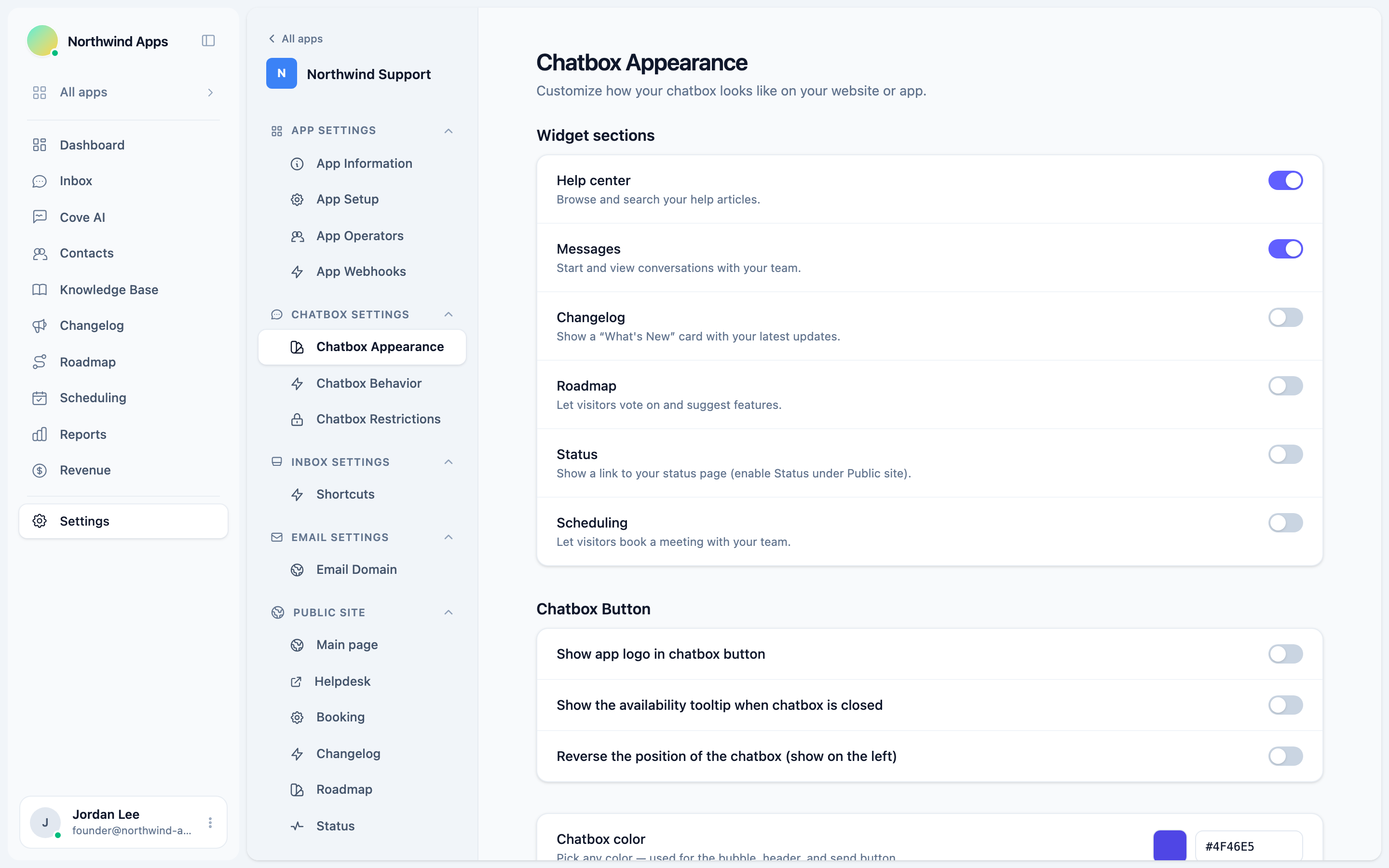
The Roadmap section is off by default. Your public roadmap page stays live regardless of this toggle.
What users see
When the Roadmap section is on, a “Roadmap” or “Ideas” tab appears in the widget navigation. Inside:
- Items are listed by status column (your public-facing statuses).
- Each item shows the title, status badge, and vote count.
- Users can tap the vote pill to upvote or remove their vote.
- Tapping an item opens the full description and comments inline.
Voting inside the widget works the same as voting on the public board - it’s the same vote record.
Which items appear
Only items with visibility Visible and a status that has Show on public board enabled appear in the widget. Pending, hidden, and admin-only status items are never shown.
Combining with other sections
The Roadmap section coexists with Help, Messages, Changelog, Status, and Scheduling. Each active section is a tab in the widget. Configure the full set in Chatbox Appearance.
Next steps
Was this article helpful?
Thanks for your feedback!