
 Roadmap
Letting Customers Submit Features
Enable feature submissions so users can suggest ideas from the public board - they fill in a title, description, and optionally attach up to 4 images.
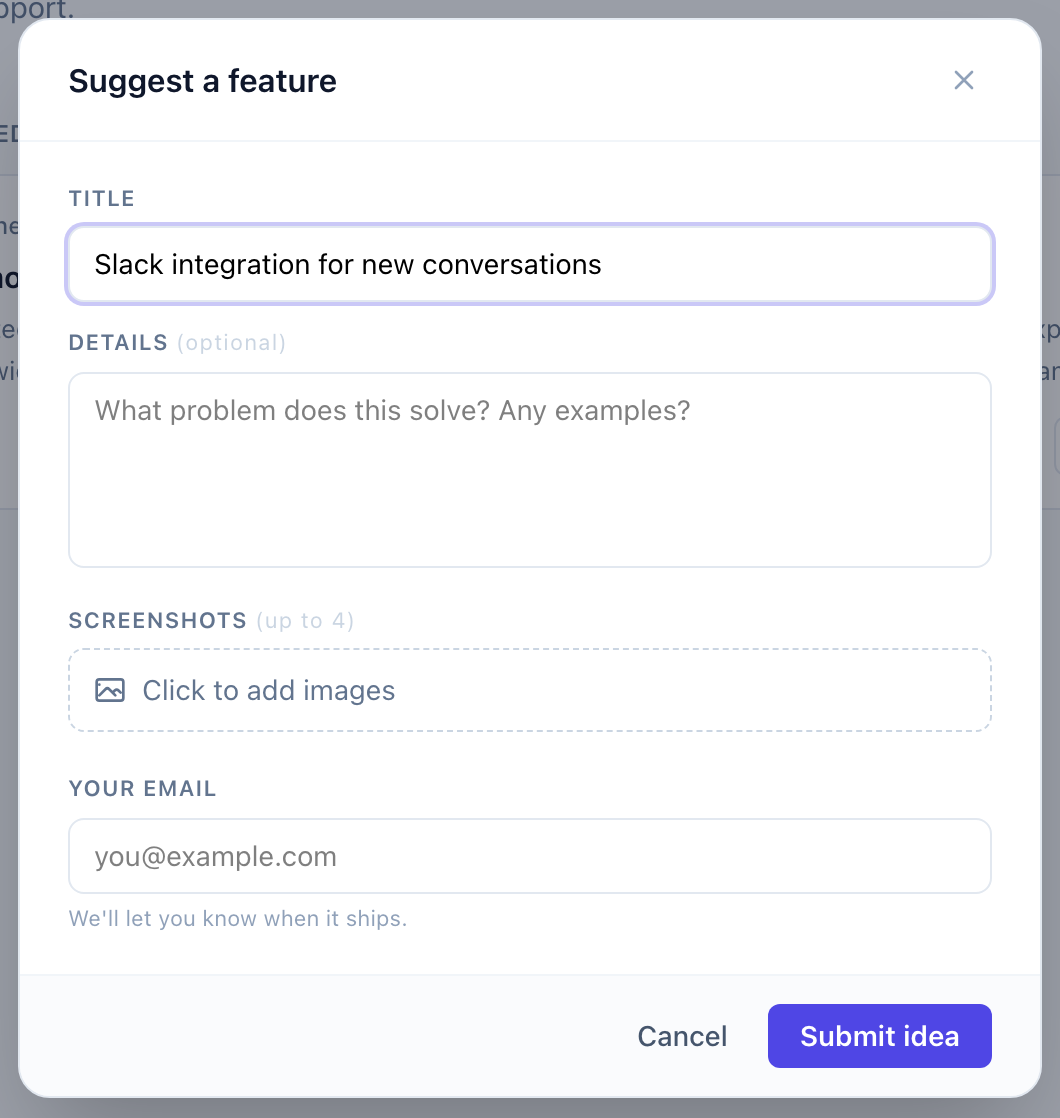
When feature submissions are enabled, a “Suggest a feature” button appears on your public roadmap board. Users fill in a short form and submit their idea. You review it before it goes live.
How submissions work
- A visitor opens your public roadmap board.
- They click Suggest a feature (visible on the board when submissions are on).
- A modal opens where they fill in:
- Title - a short description of what they want.
- Description - optional context on why they need it.
- Images - up to 4 screenshots or mockups (JPEG, PNG, WebP, or GIF, max 10 MB each).
- They submit. The item is created with visibility Pending and won’t appear on the public board until you review it.
New submissions never go live automatically. Every submission lands in your admin queue for review.
What the submitter sees
After submitting, the visitor sees a confirmation. The submission appears on the public board only once you publish it. The submitter’s name and contact details are recorded internally but only shown to admins - not displayed publicly on the board.
Images
Visitors can attach up to 4 images to a submission. Images are shown on the item’s detail page after the item is published. Admins can also add images when editing an item directly.
Reviewing submissions
See Moderating submissions for how to review, edit, and publish incoming requests.
Next steps
Was this article helpful?
Thanks for your feedback!