
 Public Site
Public site overview
What the Public Site is, which sections it hosts, and how to control what visitors can see.
Every app in Convot has a Public Site - the home for everything your users can browse without logging in. It is a single web address that hosts your help center, changelog, roadmap, status page, and booking page, depending on which sections you have turned on.
To manage it, go to Settings > Apps > [your app] > Public site.
Sections
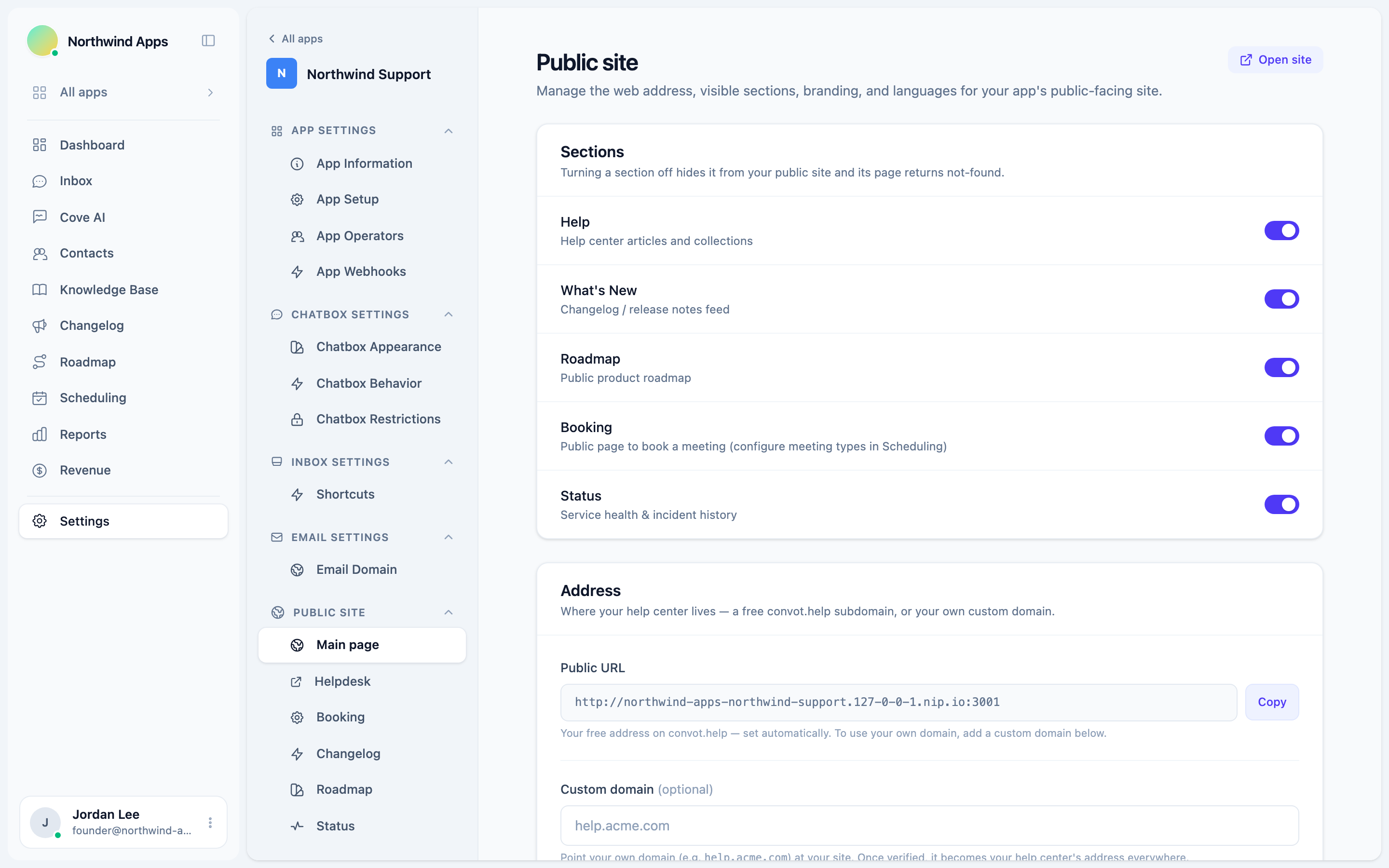
The Sections card controls which parts of your public site are visible. Each section has a toggle:
| Section | What it shows |
|---|---|
| Help | Your help center articles, organized by collection |
| What’s New | Your changelog feed (release notes and updates) |
| Roadmap | Your public product roadmap where visitors can vote and suggest features |
| Booking | A public page to book a meeting (meeting types are configured under Scheduling) |
| Status | Your service health page and incident history |
Turning a section off is immediate and permanent until you turn it back on. When a section is off, its public URL returns not-found. Any links or bookmarks your users have saved to that section will stop working.
The defaults when you first create an app are: Help on, What’s New on, Roadmap on, Status off, Booking off.
Your address on convot.help
Every app automatically gets a free subdomain on convot.help in the format:
https://<your-slug>.convot.help
This address is set automatically based on your organization and app name. It is shown in the Address card as a read-only “Public URL.” You can copy it with the Copy button.
The convot.help subdomain is always available as a fallback, even if you set up a custom domain. It cannot be deleted.
Custom domain
If you want your help center to live at your own domain (for example, help.acme.com), you can add a custom domain in the Address card. Once verified, the custom domain becomes the canonical address for all links on your public site.
See Custom domain for your help center for step-by-step DNS setup instructions.
Primary helpdesk (multi-helpdesk apps)
If your app has more than one helpdesk, a Primary helpdesk picker appears after you add a custom domain. The primary helpdesk is served at the root of your custom domain. All other helpdesks are accessible at /<their-slug>.
Use this when you want one helpdesk to be the “default” that visitors land on, and keep the others accessible but not at the root.
Was this article helpful?
Thanks for your feedback!