
 Roadmap
Moderating Submissions
Review incoming feature requests from customers, edit them for clarity, assign a status, and decide what goes live on the public board.
Every customer submission lands in your admin with visibility set to Pending. Nothing goes live until you act on it.
Finding submissions to review
In the Roadmap admin page, filter the item list by visibility Pending. All unreviewed submissions appear here with their title, submitter info, images (if any), and description.
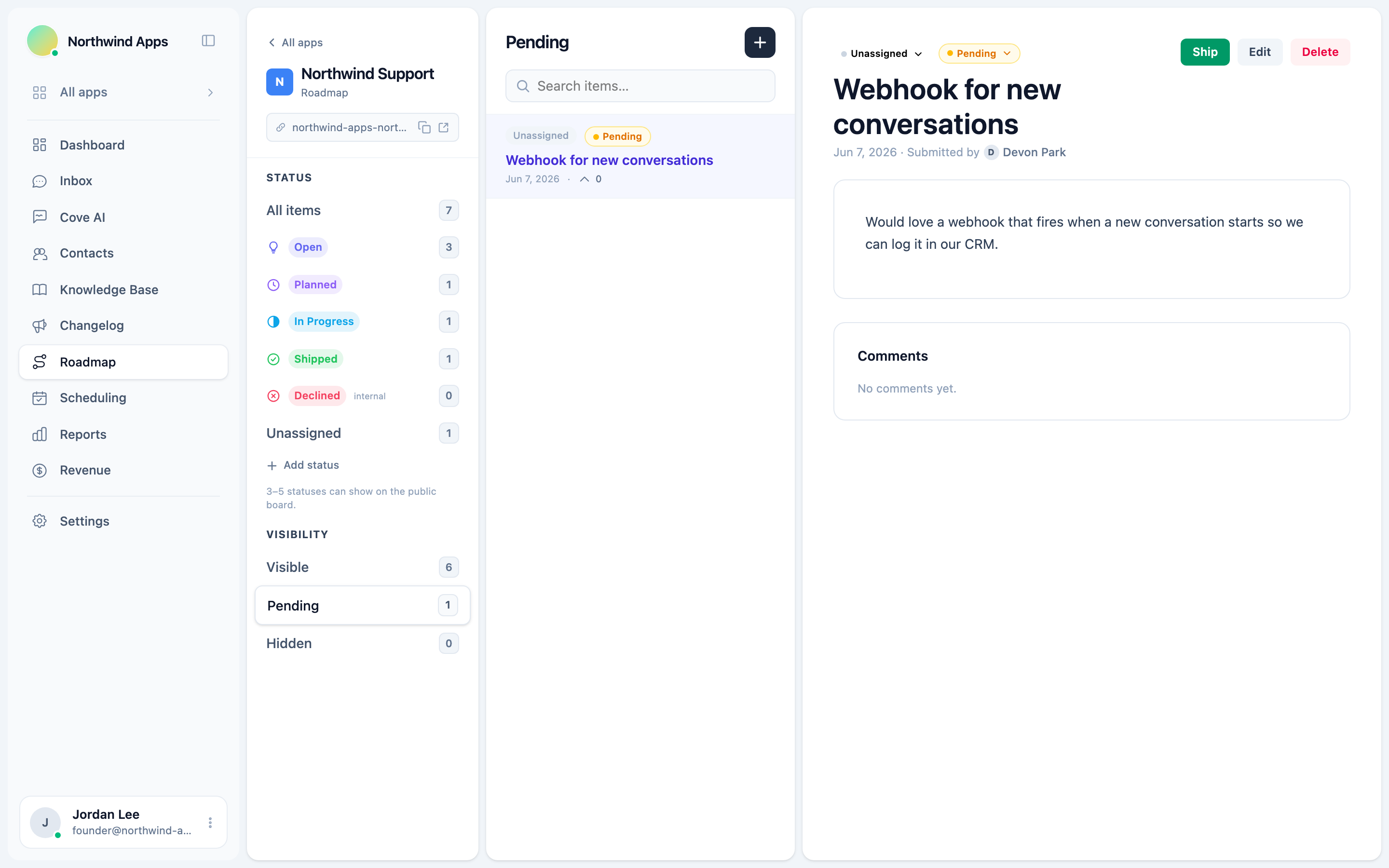
Reviewing an item
- Click the item to open it.
- Review the title, description, and any attached images.
- You can edit the title and description for clarity - for example, to match your internal language or merge similar requests.
- Assign or adjust the status (e.g. move it to “Open” or “Under Review”).
- Choose what to do with the visibility:
- Set to Visible to publish it on the public board.
- Set to Hidden to keep it off the board without deleting (useful for duplicates or items you’re not planning).
- Leave as Pending if you need more time.
- Save.
Declining a submission
If a suggestion isn’t a fit, set visibility to Hidden (or assign a “Declined” status if you have one). The item won’t appear on the public board. The submitter isn’t automatically notified - if you want to close the loop, reply via their support conversation.
Who submitted it
The submitter’s contact details (name, email) are recorded and visible in the item editor in the admin. This is shown to admins only - never displayed publicly on the board.
Handling duplicate submissions
There is no automatic merge. To handle two submissions that cover the same feature, do it manually:
- Pick the one with the better description as the canonical item. Edit and publish it.
- Set the duplicate to Hidden so it disappears from the queue.
- Consider replying to the duplicate’s submitter (via their support conversation) pointing them to the published item and asking them to vote.
Next steps
- Customer feature submissions - how users submit.
- Votes and comments - engage with voters.
- Roadmap in the widget
Was this article helpful?
Thanks for your feedback!