
 Roadmap
The Public Roadmap Board
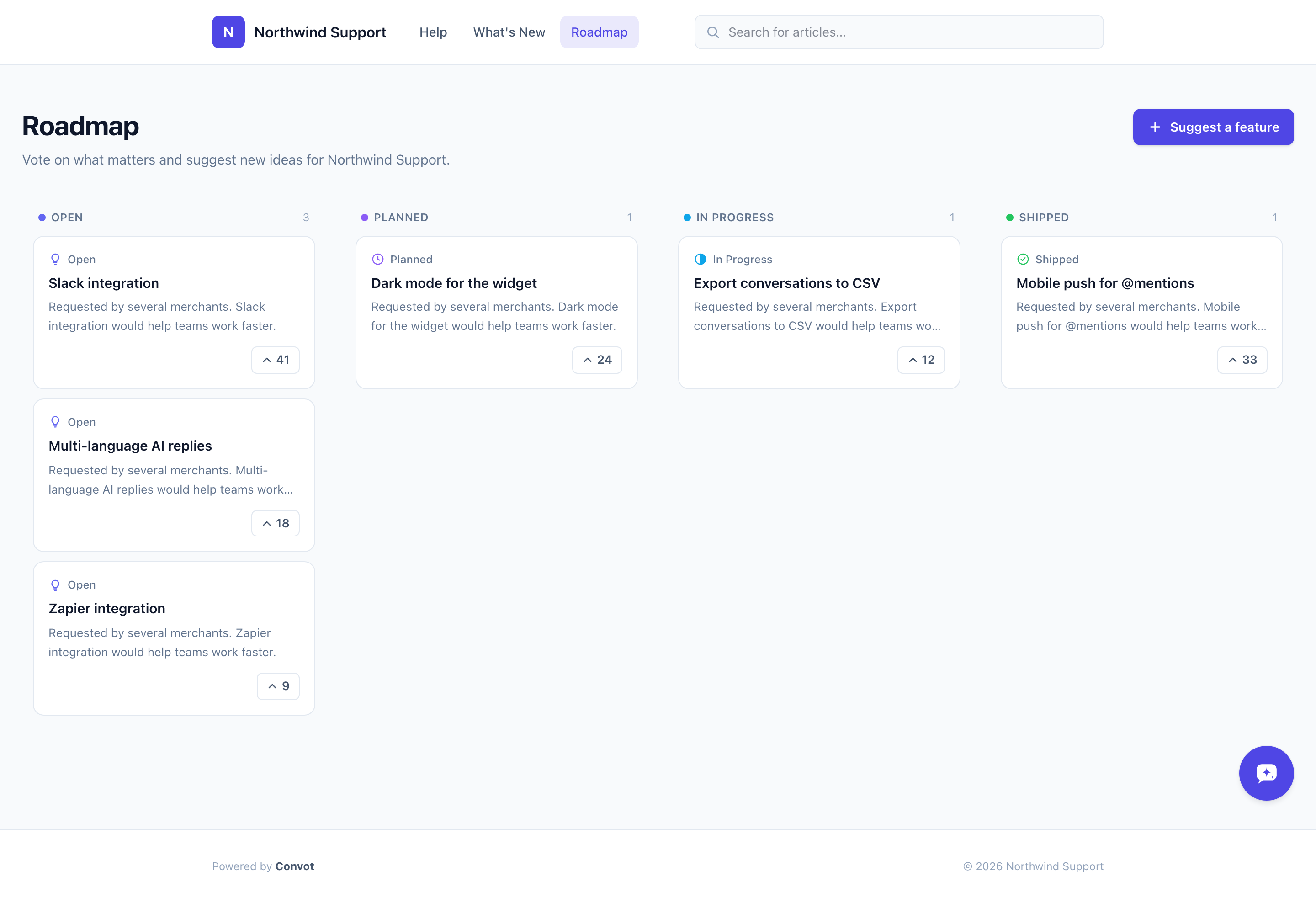
The public roadmap is a Canny-style board where customers can see your planned features, vote on them, read descriptions, and browse by status.
Your public roadmap is a customer-facing board where visitors can see what you’re working on, vote for features, and read descriptions - without you manually fielding the same feature questions repeatedly.
Where it lives
The roadmap is at:
https://<your-slug>.convot.help/en/roadmap
Or on your custom domain:
https://help.yourapp.com/en/roadmap
Find and copy the link from Settings → Apps → [your app] → Public site.
The Roadmap is enabled by default on your public site. You can toggle it off under Settings → Apps → [your app] → Public site if you don’t want it visible yet.
What customers see
The board is organized into status columns (your public-facing statuses). Each item shows:
- A vote pill on the left with the vote count. Clicking it casts or removes a vote.
- The title and a short description preview.
- The status badge with color.
- The comment count.
Clicking a card opens the full item: full description, images (if any were uploaded), comments, and the vote button.
Sorting
Items within each column are sorted by vote count (most-voted first), then by creation date for ties.
Visibility rules
Only items with visibility Visible appear on the public board. Pending and Hidden items are never shown to customers.
Per-item permalinks
Each item has a permanent URL:
https://<your-slug>.convot.help/en/roadmap/<item-slug>
These are shareable, indexable by search engines, and safe to link in newsletters or support replies.
Next steps
- Custom statuses - customize your columns.
- Votes and comments - how engagement works.
- Letting customers submit features - open the board to suggestions.
Was this article helpful?
Thanks for your feedback!