
Live Visitors
See who's browsing your site right now, in real time - which app, which page, and whether they're active or idle.
The Visitors page shows everyone currently browsing a site with your widget installed - live, as it happens. No refresh needed.
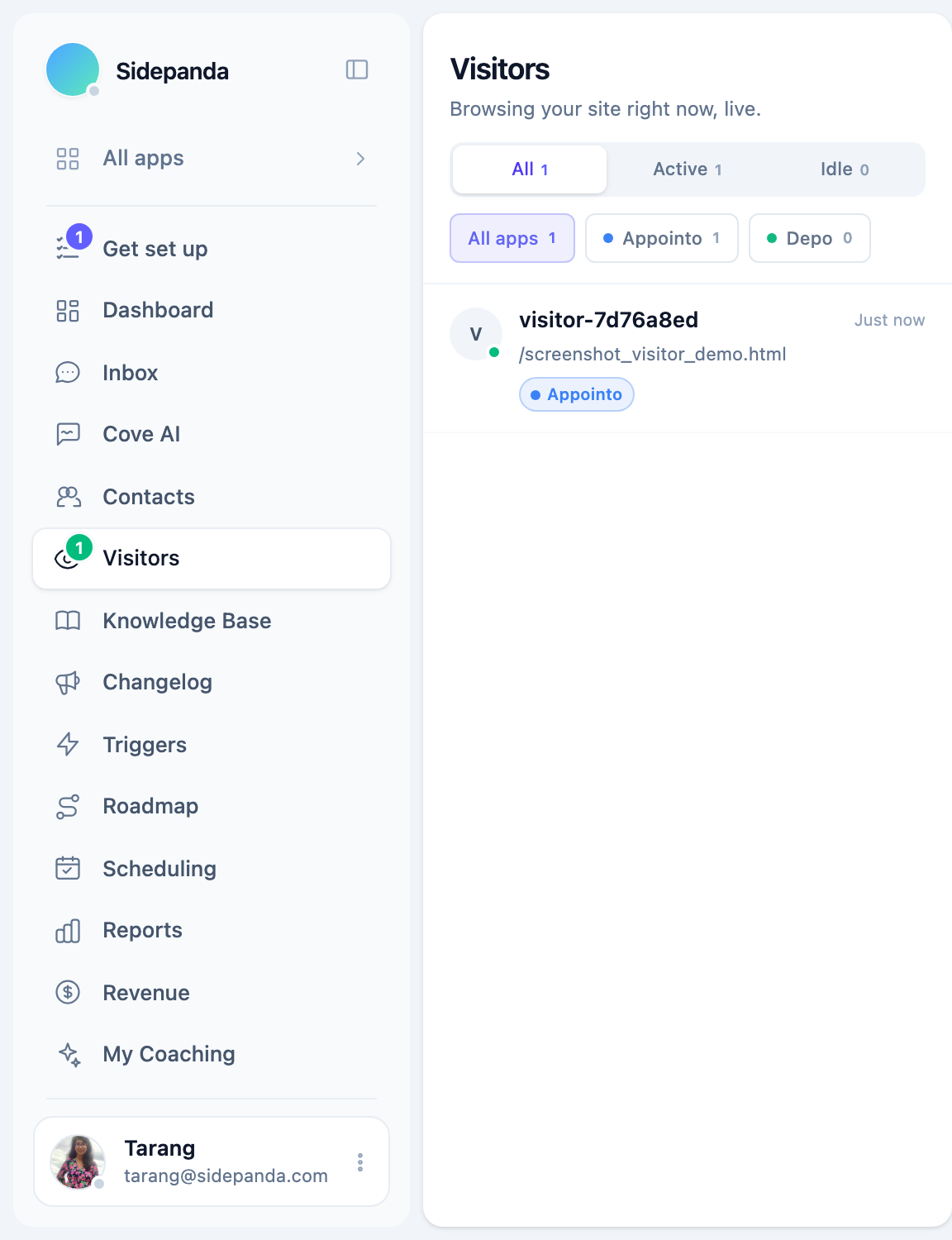
What you see
For each visitor:
- A short anonymous name until they identify themselves (start a conversation, or you already have their email on file)
- The page they’re currently on
- How long they’ve been on your site
- Active (green) or Idle (visitor hasn’t interacted in the last 60 seconds)
- Which app they’re on, if you run more than one
Click a visitor to see more detail - their current page, browser, and (once they’ve replied at least once) their contact record.
Filtering
Use the All / Active / Idle tabs to narrow the list, and the per-app chips to see only visitors on a specific app when you run more than one.
Starting a conversation
If a visitor already has an email on file (they identified themselves on an earlier visit), you can start a conversation with them directly from their detail panel. If they haven’t given you anything to reach them by yet, you’ll need to wait for them to message you first, or set up a Trigger Rule to reach out automatically.
Reaching out first
Live Visitors is read-only - it shows you who’s here, but doesn’t message anyone on its own. To automatically greet a visitor (e.g. after 30 seconds on your pricing page, or on their first-ever visit), set up a Trigger Rule, which uses the same live presence data this page shows.
Was this article helpful?
Thanks for your feedback!