
 Roadmap
AI Roadmap — Automatic Feature Request Mining
Let AI scan your resolved support conversations and surface feature requests automatically, ready for you to review and publish.
AI Roadmap automatically reads through your resolved support conversations and finds the feature requests your customers have asked for — even when they weren’t explicitly tagged.
Instead of manually combing through conversations to spot patterns, AI Roadmap does it on a schedule and drops the results into a triage queue for you to review.
How it works
On your chosen schedule (weekly or monthly), AI Roadmap:
- Scans resolved conversations from the past 30 days.
- Reads each conversation and extracts genuine feature requests, along with a supporting customer quote.
- Cross-checks against your existing KB articles, changelog entries, and roadmap items — skips anything already covered.
- Drops new items into the AI Suggested queue as drafts, ready for you to approve or discard.
Only org admins and owners can see AI Suggested items. Customers never see draft items.
Enabling AI Roadmap
Go to Roadmap in the left nav, select your app, then click Roadmap settings at the bottom of the right sidebar (or the gear icon next to AI Insights).
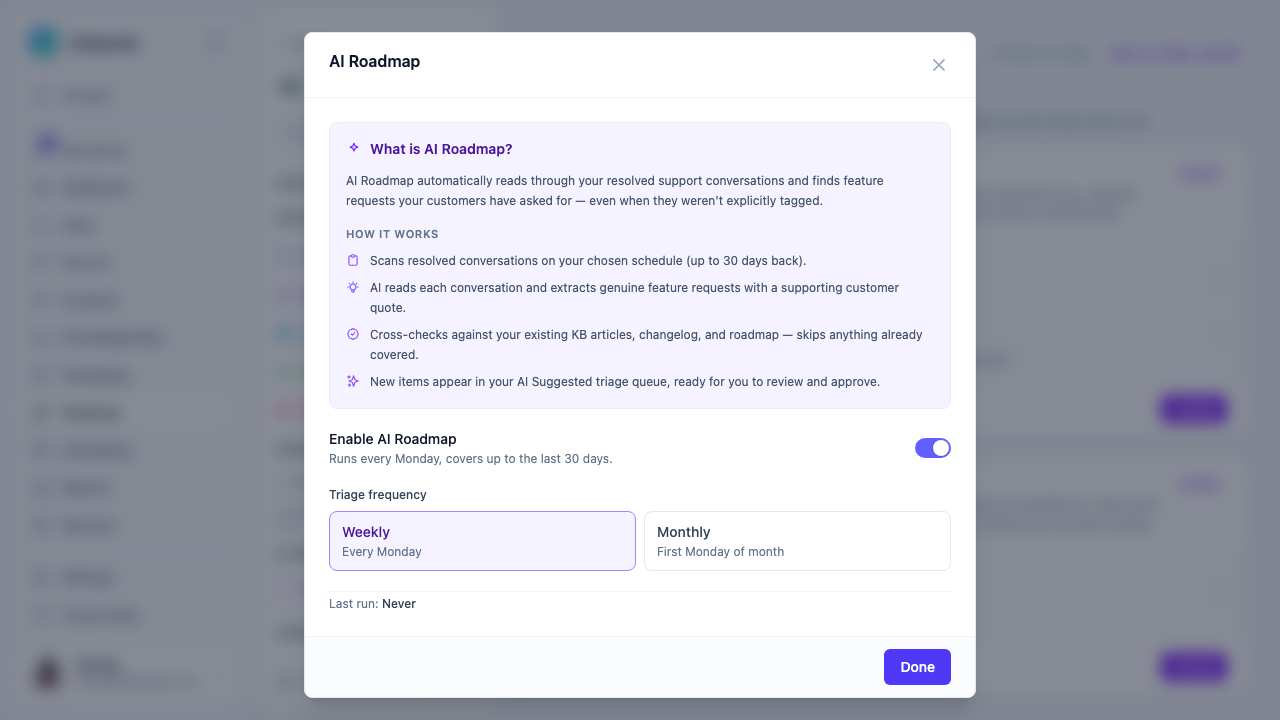
Toggle Enable AI Roadmap on. Choose your triage frequency:
- Weekly — runs every Monday, covers the past 30 days.
- Monthly — runs on the first Monday of each month.
The modal also shows your last run date and when the next run is scheduled.
Reviewing AI suggestions
Once a run completes, go to Roadmap → AI Suggested in the left sidebar.
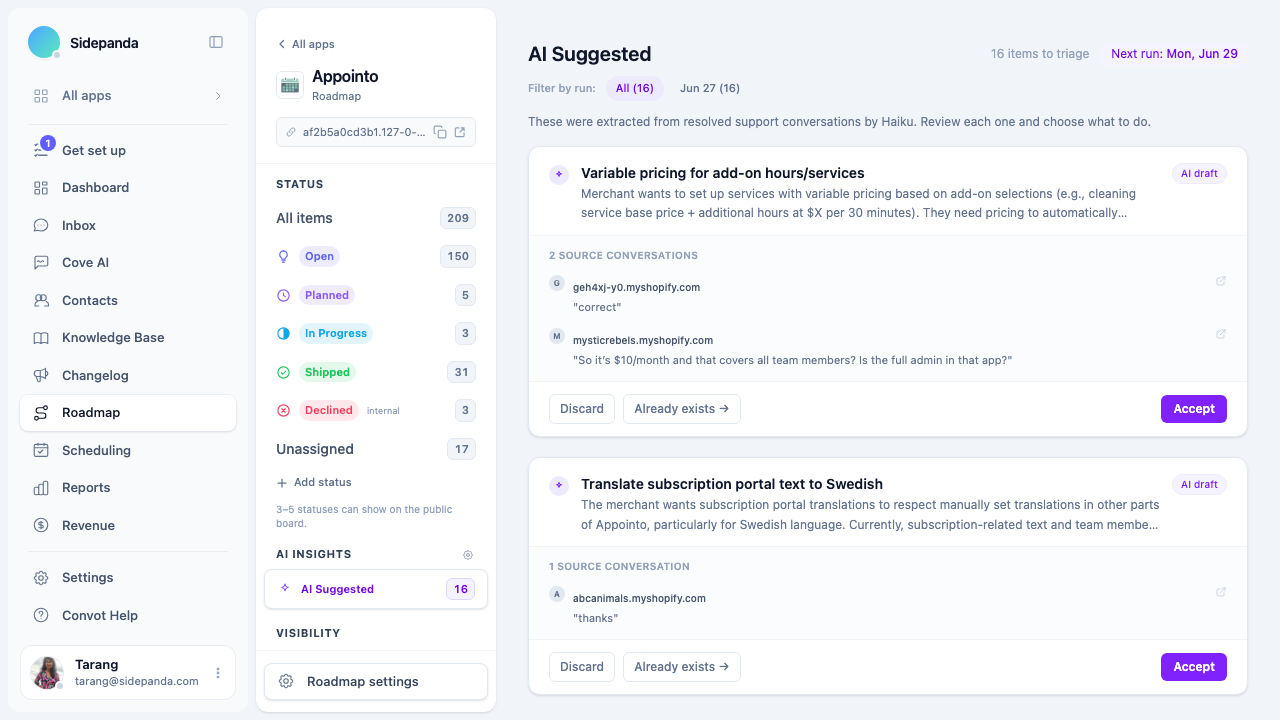
Each suggestion shows:
- The feature title and a 1–2 sentence description of what the merchant wants.
- The source conversations it was extracted from, with the exact customer quote.
- A Filter by run pill bar so you can compare results across different mining runs.
- The Next run date based on your frequency setting.
For each item you can:
- Accept — publishes the item as a draft on your roadmap. You can edit the title and description before making it visible to customers.
- Already exists — marks it as a duplicate (it won’t reappear).
- Discard — removes it from the queue without adding it to the roadmap.
Email digest
After each run, all admins and owners receive an email summarising what was found — including the top 3 ideas extracted — with a direct link to the triage queue.
What AI Roadmap does not do
- It does not automatically publish items. Every suggestion requires a human to review and accept it.
- It does not mine items from open or ongoing conversations — only resolved ones.
- It does not create duplicates. If a similar item already exists on the roadmap, it adds a vote to the existing item instead.
Next steps
- Creating roadmap items — manually add items alongside AI suggestions.
- Moderating submissions — review customer-submitted feature requests.
- The public roadmap board — what customers see when you publish an item.
Was this article helpful?
Thanks for your feedback!