
 AI Agent
Q&A Snippets
Q&A snippets are hand-written question-and-answer pairs that override or supplement your knowledge base for specific, high-priority questions.
Q&A snippets are the most direct way to control what Cove AI says. You write the question and answer yourself, and the bot retrieves the snippet just like it would retrieve a help article - but your wording takes priority because it is an exact, curated match.
Use them to:
- Give a precise answer to a question your help articles do not cover well.
- Correct or supplement an answer the bot gets wrong.
- Handle high-stakes topics (refund policy, pricing, cancellation steps) with exact language.
- Fill knowledge gaps faster than writing a full article.
Adding a snippet
- Go to Cove AI, select your app, then open Q&A.
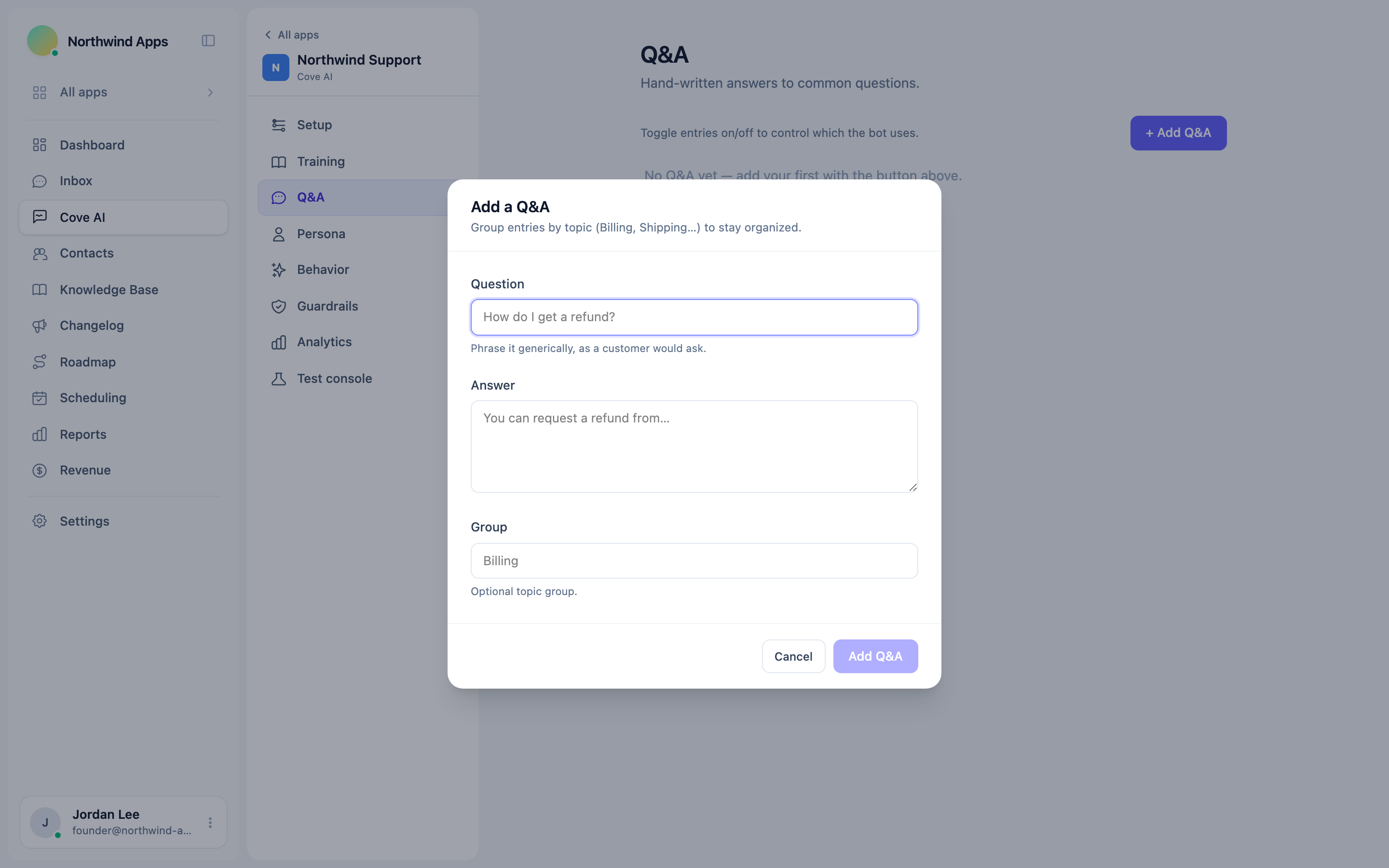
- Click + Add Q&A.
- Fill in the Question field - phrase it the way a customer would ask it.
- Write the Answer - be concise and accurate.
- Optionally add a Group name (like “Billing” or “Shipping”) to keep snippets organized.
- Click Add Q&A.
The snippet is active immediately. Convot embeds it in the background so the bot can retrieve it.
Writing good snippets
Question: phrase it the way a typical customer would ask it, not the way you think about it internally. “How do I get a refund?” not “Refund process.”
Answer: write the full answer as you would say it to a customer. Do not abbreviate - the bot will use this text almost verbatim, so the quality of the answer is the quality of what gets sent.
Group: optional, but helpful if you have more than a dozen snippets. Grouping by topic (Billing, Shipping, Account…) makes the Q&A tab easier to manage.
Toggling snippets on and off
Each snippet has a toggle. Turning a snippet off removes it from the bot’s index immediately - useful when a policy changes and you are not ready to update the answer yet.
Draft snippets are not retrieved by the bot. Active snippets are.
How snippets interact with articles
Snippets and articles are retrieved together. The bot picks the most relevant chunks from the combined pool. If a snippet and an article both cover the same topic, the bot will blend the most relevant passages.
If you want a snippet to win over an article on a specific question, write the question precisely and make the answer thorough enough to be the highest-relevance match.
Editing and deleting
Click Edit on a snippet to update the question or answer. The snippet is re-embedded automatically after saving. Click Delete to remove it permanently.
Deleting a snippet removes its chunk from the bot’s index immediately. If the bot was relying on it for a common question, add a replacement or update the relevant article before deleting.
Was this article helpful?
Thanks for your feedback!