
 Installing the Widget
App Operators
See which team members have inbox access to a specific app, and add or remove agents from that app's operator list.
Each Convot app has its own operator list - the people who can see and reply to conversations in that app’s inbox. Go to Settings - Apps - [your app] - App Operators to view and manage it.
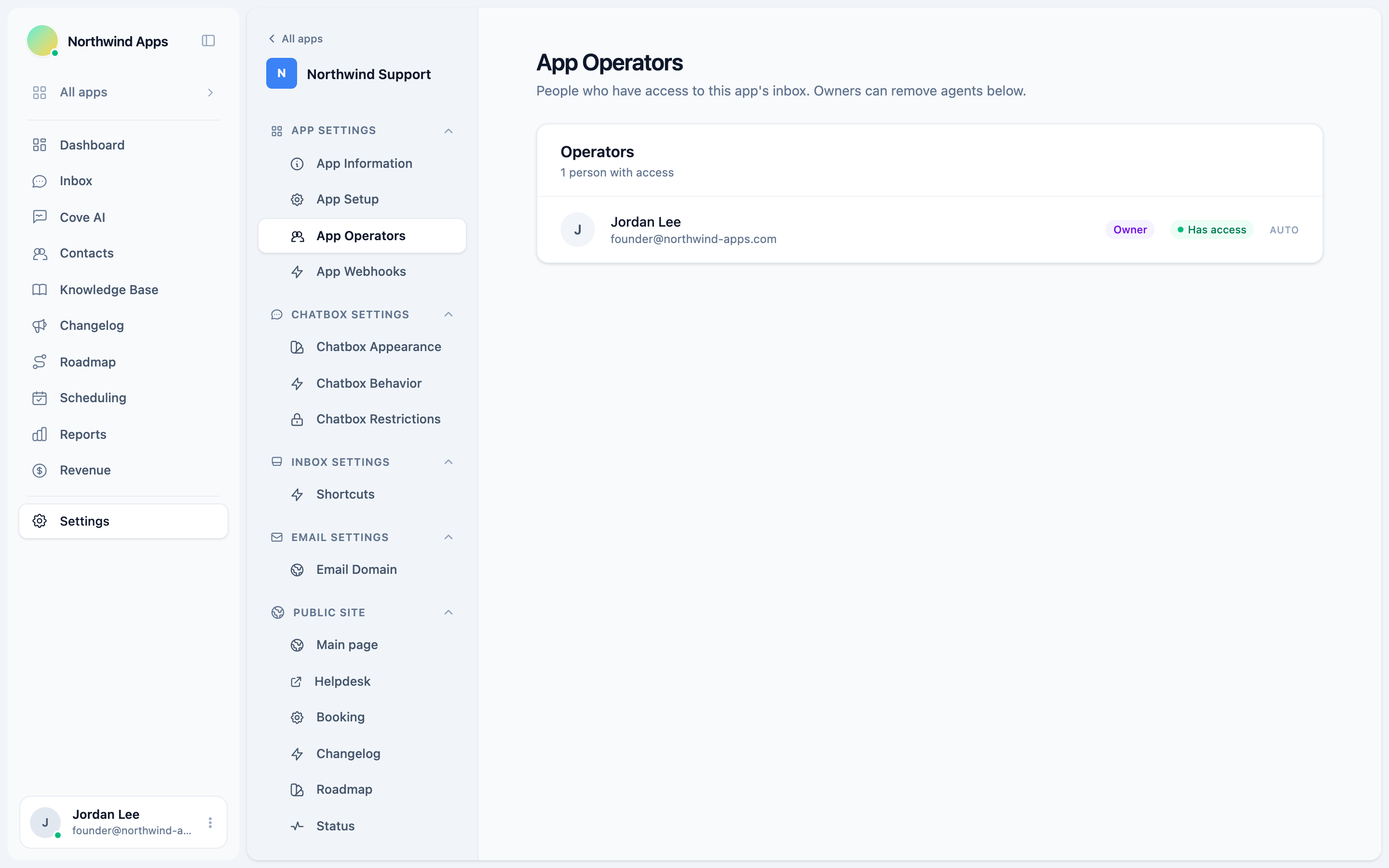
Who has access
The page lists every member in your organization with a badge showing whether they have access to this app.
- A green Has access badge means the person can see this app’s conversations.
- A grey No access badge means they are in the organization but cannot see this app.
Owners and admins always have access to every app automatically. Their rows show an Auto label instead of a Remove button - their access cannot be revoked from this page.
Adding an agent to an app
App access for agents is managed by adding or removing them from the operator list. Contact an owner in your organization to add an agent - the Add flow is available to owners only (see Permissions below).
The UI for adding agents is only available to owners. Admins can view the list but cannot add new operators.
Removing an agent from an app
Owners can remove any agent from an app’s operator list:
- Find the agent in the list.
- Click Remove on their row.
- The page reloads automatically with the updated list.
The agent is removed from this app’s inbox immediately. They keep their organization membership and access to any other apps they are operators on.
You can only remove members with the agent role. Owner and admin rows do not show a Remove button - their access is controlled by their organization role, not the per-app operator list.
Permissions
| Role | Can view the operator list | Can remove agents |
|---|---|---|
| Owner | Yes | Yes |
| Admin | Yes | No (read only) |
| Agent | No (not shown in nav) | No |
Agents do not see the App Operators page at all. The settings area is hidden for agent-role members.
Owners and admins always have access
Owners and admins are automatically operators on every app in the organization. This cannot be changed per app. If you need to restrict an admin from seeing certain conversations, the appropriate action is to change their organization role to agent, not to remove them from individual apps.
Next steps
- App Information Settings - update the app name, logo, and domain.
- Inviting your team - add new members to your organization.
- Roles and permissions - how owner, admin, and agent roles differ across the platform.
Was this article helpful?
Thanks for your feedback!