
 Widget Customization
Section Toggles - Help, Messages, Changelog, Roadmap
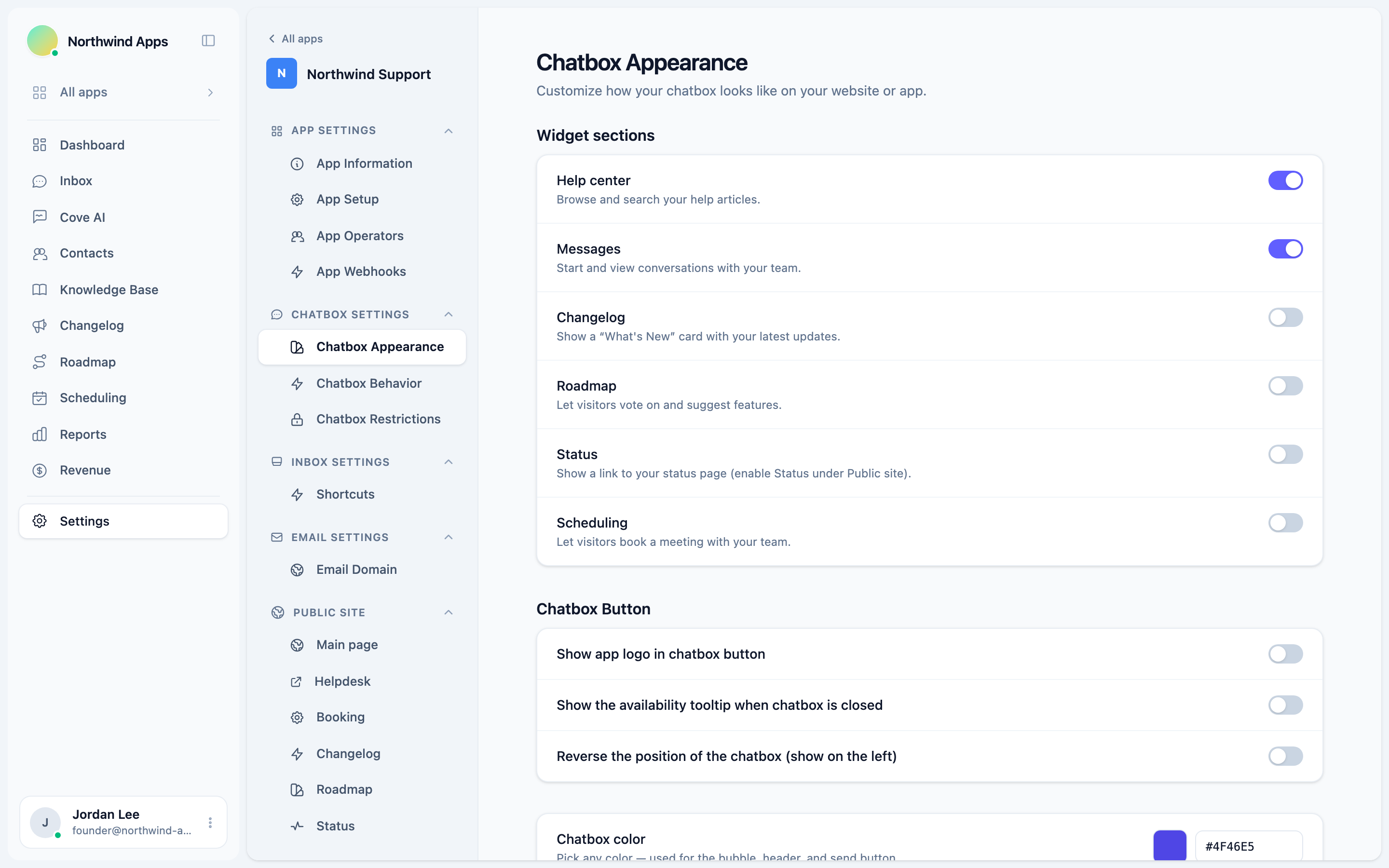
Control which sections appear inside the widget - Help, Messages, Changelog, Roadmap, Status, and Scheduling.
The Convot widget is made up of sections. You choose which ones appear. This lets you ship incrementally - start with chat, then add Help and Changelog when you’re ready - without showing an incomplete tab to visitors.
Section toggles are under Settings → Apps → [your app] → Chatbox → Appearance, in the Widget sections panel.
Sections and defaults
| Section | Default | What it shows |
|---|---|---|
| Help center | On | Browse and search your help articles. |
| Messages | On | Start and view conversations with your team. |
| Changelog | Off | A “What’s New” card with your latest updates. |
| Roadmap | Off | Let visitors vote on and suggest features. |
| Status | Off | A link to your status page. |
| Scheduling | Off | Let visitors book a meeting with your team. |
Help and Messages are on by default because they’re the most universally useful. Changelog and Roadmap are off by default so nothing appears before you’ve added content.
You can publish a Changelog or Roadmap entry first, then flip the toggle on - visitors won’t see a blank section.
Turning a section on or off
- Go to Settings → Apps → [your app] → Chatbox → Appearance.
- Find the Widget sections panel at the top.
- Use the toggle next to each section name.
- Changes save automatically.
Status section
The Status section shows a link to your status page inside the widget. Enable the Status feature under your app’s Public site settings first, then turn on the Status toggle here.
Scheduling section display
When Scheduling is on, an extra setting appears:
Scheduling display - choose between:
- Book tab (bottom nav) - a dedicated “Book” tab in the bottom navigation bar.
- Section on Home - a “Book a time” card on the widget’s Home screen.
Pick whichever fits your flow better.
What happens when all sections are off
If you turn off all sections, the widget launcher still shows, but opening it shows nothing useful. Leave at least Messages on unless you specifically want a help-only or docs-only experience (use Knowledge Base only mode under Chatbox Behavior for that).
Next steps
- Choosing your channels - overview of every feature and when to turn each on.
- Welcome message and greeting - customize the first message visitors see.
- Colors and branding
Was this article helpful?
Thanks for your feedback!