
 Shopify Integration
App Store Review Requests
Automatically ask happy merchants to leave a Shopify App Store review, at the right moment and only when the conversation was clearly positive.
Convot can send App Store review requests to merchants at the right moment — after a support conversation that went well. It checks that the merchant was genuinely happy before asking, so you never prompt someone who is still frustrated or had an unresolved issue.
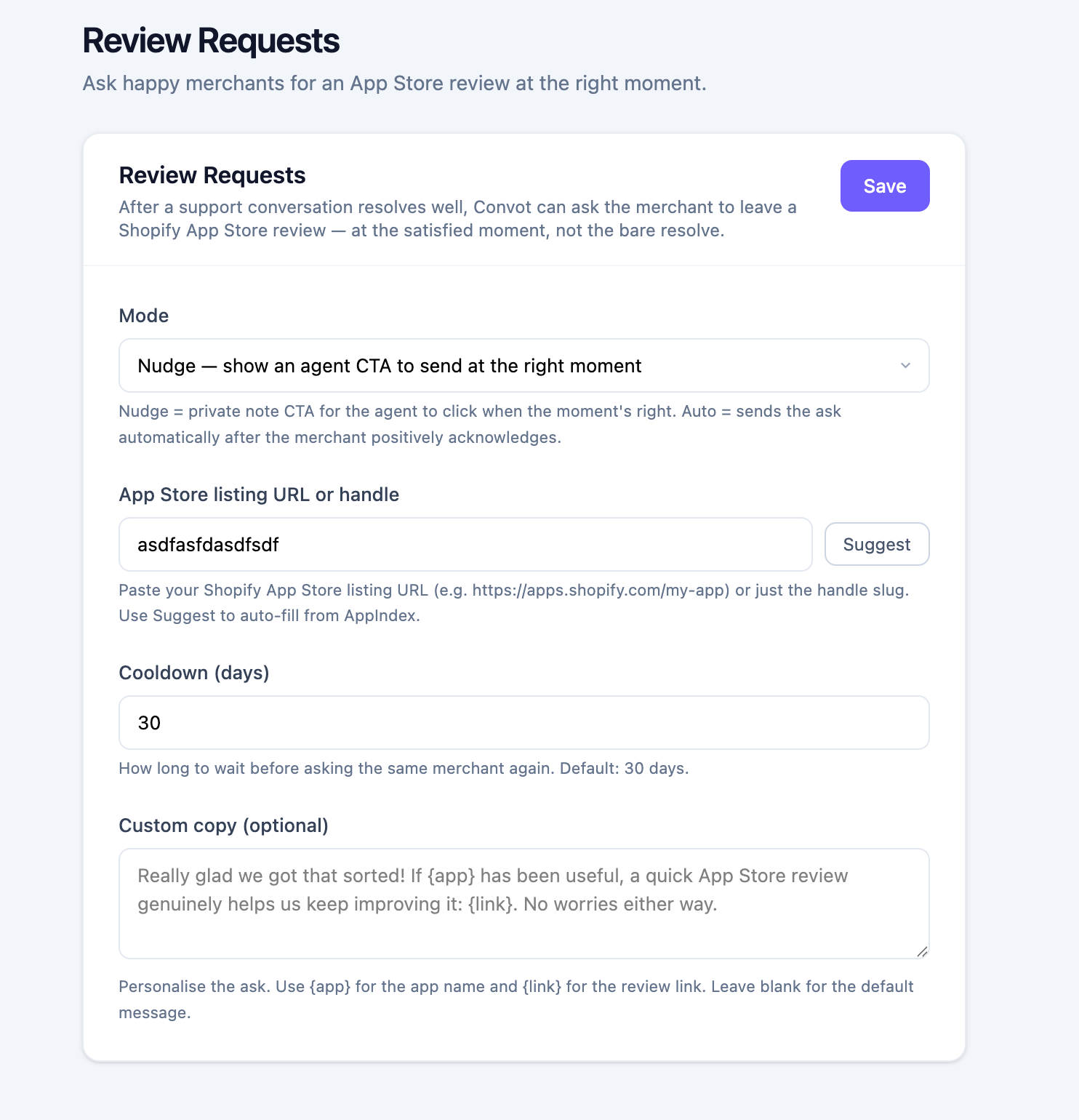
How Convot decides when to ask
Before any review request goes out (or before your agent is prompted), Convot runs through a set of checks automatically:
- No frustration — the conversation frustration level must be zero. Any sign of escalation disqualifies it.
- Positive sentiment — the merchant’s last message is scored for tone. Neutral or negative messages are filtered out.
-
Merchant is identifiable — the contact must have a linked Shopify store (a matched
shopify_domain). - Cooldown period — if the merchant was asked within the last 30 days (configurable), they are skipped.
- Not already reviewed — if Convot has already seen a review from this merchant’s store on your App Store listing, they will not be asked again.
These checks run on two triggers: when an agent marks a conversation Resolved, and when a conversation goes quiet — the merchant’s last message has gone unanswered for a couple of minutes and the thread has naturally settled.
Two modes: Nudge and Auto
Nudge — agent sends it
In Nudge mode, Convot posts a private note inside the conversation when conditions are met. Your agent sees the note, reviews the suggested message, and clicks Ask for a review to send it — or skips it entirely.
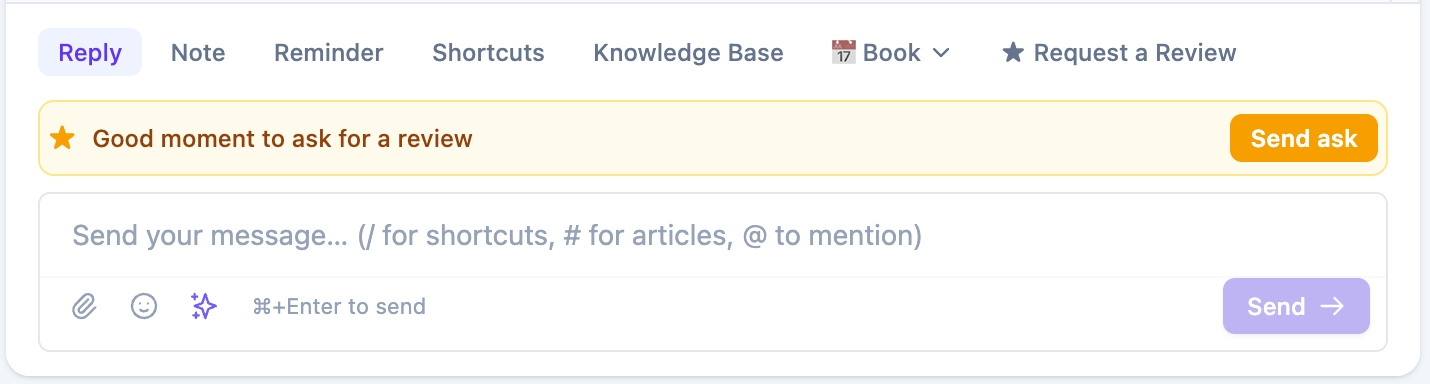
Use Nudge when you want a human eye on every review request before it goes out. The note appears once per conversation and is only visible to your team, not the merchant.
Auto — Convot sends it
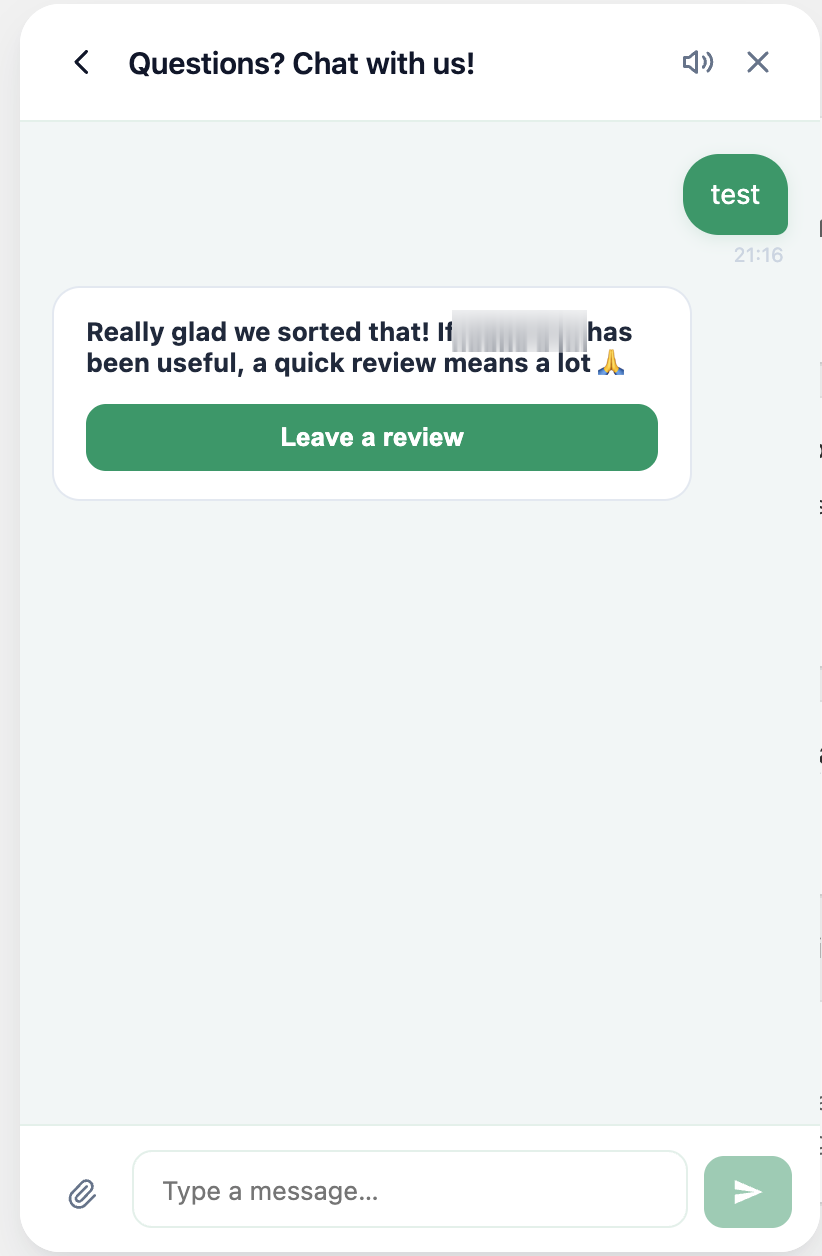
In Auto mode, Convot runs a second check using its AI agent (Haiku) to confirm the conversation was fully resolved and appropriate for a review request. If that passes, Convot sends a message to the merchant automatically — no agent action required.
The merchant sees a card in the widget with a direct link to the App Store review form.
When they click through, the Shopify App Store review form opens right inside the widget — pre-filled with your app — so they can pick a star rating and submit in a couple of clicks without leaving the conversation.
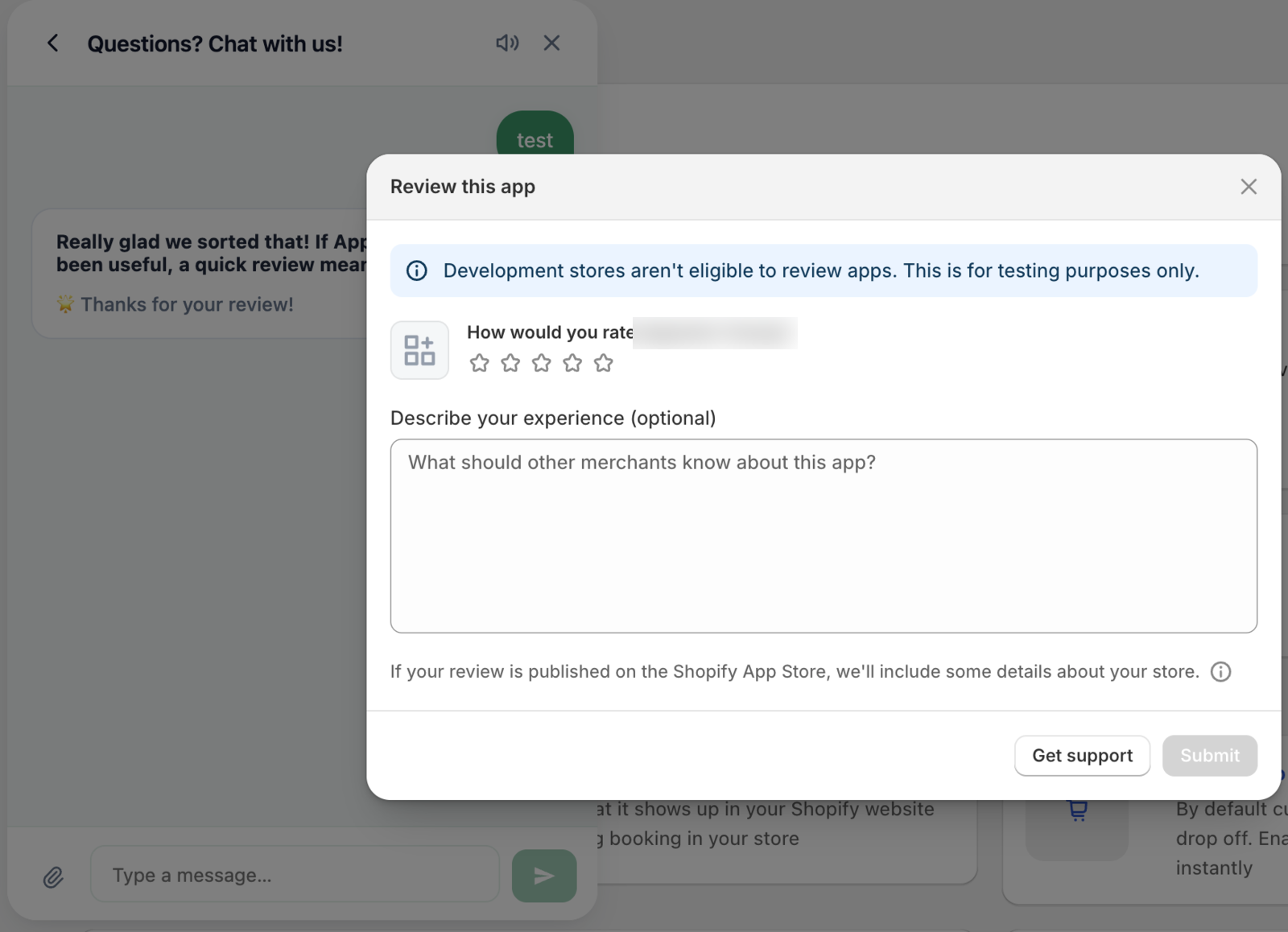
Use Auto for high-volume apps where reviewing every request manually is not practical, or when you trust your support quality to consistently produce review-worthy conversations.
Setting it up
1. Add your App Store listing handle
In Settings → Apps → [your app], find the App Store listing handle field and enter your app’s Shopify App Store slug — the last part of your listing URL. For example, if your listing is apps.shopify.com/my-app, the handle is my-app.
This is required. Without it, review requests are disabled regardless of the mode setting.
2. Configure review requests
In the same app settings, open the Review requests section:
| Setting | What it does |
|---|---|
| Mode | Off (disabled), Nudge (agent-prompted), or Auto (fully automatic) |
| Cooldown days | How many days must pass before the same merchant can be asked again. Default: 30. |
| Minimum satisfaction | The minimum positive-sentiment threshold for Auto mode. Default: Delighted. |
| Custom message | Override the default review request copy. Use {app} for your app name and {link} for the review URL. |
| Custom card prompt | Override the short card headline the merchant sees in the widget (Auto mode). Use {app} for your app name. |
Viewing merchant reviews in the sidebar
Once Convot starts syncing your App Store listing, any reviews left by your merchants appear in the Reviews panel in the contact sidebar. This lets your team see at a glance whether a merchant has already left a review, what they said, and what rating they gave — right alongside the conversation.
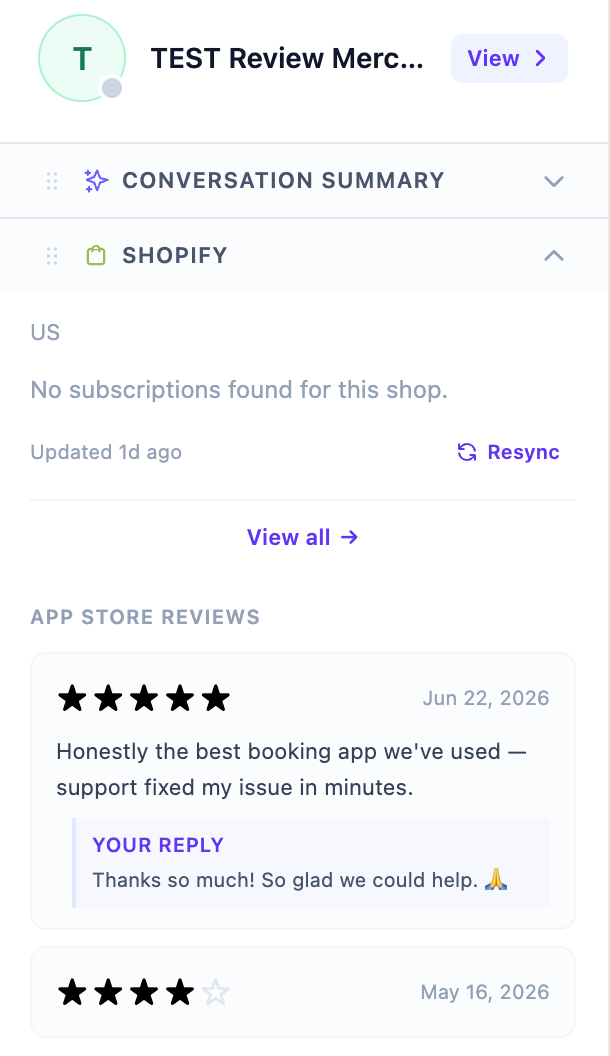
The review panel shows the store name, rating, review date, body text, and whether you have replied to the review on the App Store.
Convot also flags review status right where your agents work: once a merchant has left a review, a badge appears above the reply composer showing the rating they gave — a quick signal that this merchant is already a reviewer, so nobody asks them again.

Convot matches reviews to contacts by the merchant’s store name. The match is approximate (it normalizes spacing and punctuation), so reviews from stores with non-standard names may not always link automatically.
Requirements
- The Shopify Partner API must be connected. See Connecting the Shopify Partner API.
- The app must have a Shopify App Store listing handle set in app settings.
- Review requests apply only to contacts with a matched Shopify domain. Contacts without a store link are skipped.
Related articles
Was this article helpful?
Thanks for your feedback!