New
Fine-tune your mobile notifications
We rebuilt mobile push notifications so you decide exactly what reaches your phone - instead of being pinged for everything.
Open the Convot mobile app and go to Settings > Notifications to choose what you are alerted about.
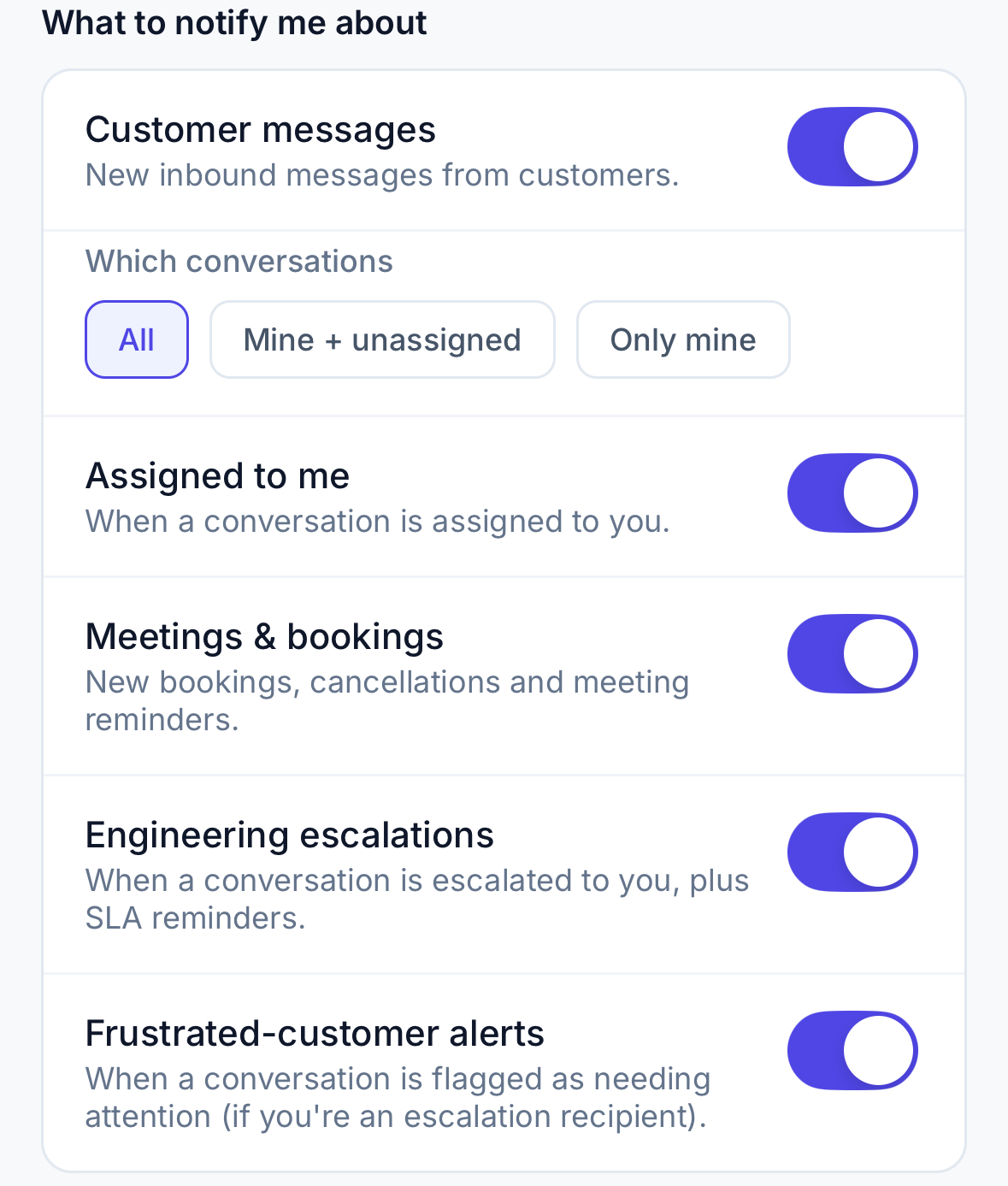
Pick your events - toggle each category on or off:
- Customer messages - with a scope picker: All, Mine + unassigned, or Only mine, so you are not buzzed for conversations that are not yours.
- Assigned to me - when a conversation lands on your plate.
- Meetings & bookings - new bookings, cancellations, and a heads-up right before a meeting starts.
- Engineering escalations - when something is escalated to you, plus SLA reminders.
- Frustrated-customer alerts - for supervisors watching for conversations that need attention.
@mentions always come through - direct asks from teammates never get muted.
Everything is on by default, and your choices save to your account so they follow you across devices.