
 Changelog
Your Public Changelog Page
The public changelog is a hosted page where users browse your update history - it lives on your convot.help subdomain or custom domain.
Your public changelog is a hosted page your users can visit to browse your update history. It’s separate from the widget - it’s a full standalone page on your help center domain.
Where it lives
The changelog page is at:
https://<your-slug>.convot.help/en/changelog
Or on your custom domain if you’ve configured one:
https://help.yourapp.com/en/changelog
You can find and copy the direct link from Settings → Apps → [your app] → Public site.
The changelog is enabled by default on your public site. If you need to disable it, go to Settings → Apps → [your app] → Public site and toggle off the Changelog section.
What users see
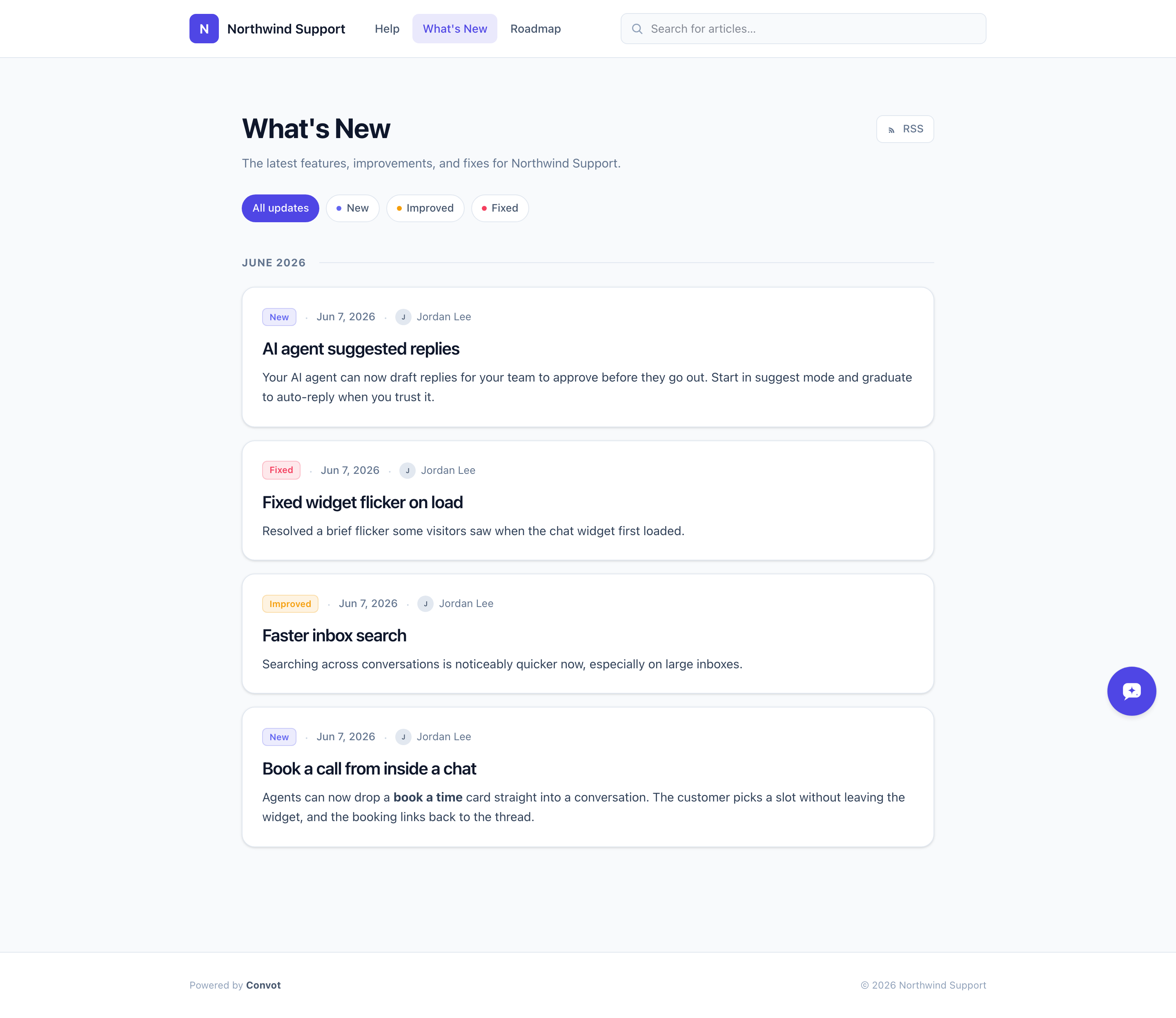
The page shows a reverse-chronological timeline of all Visible entries. Each entry shows:
- The title and publish date.
- The type badge (e.g. “New” in indigo, “Improved” in amber) with color coding.
- The author’s avatar and name.
- A preview of the content, expanding to full on click.
At the top there are filter chips - one for each type that has at least one published entry. Users can click a chip to filter the feed to just that type (e.g. “Fixed only”).
Author attribution
The author shown on each entry is the team member who created it in the admin. Their display name and avatar are shown publicly. If a member has no avatar, their initials appear instead.
Controlling what’s visible
Only entries with status Visible (and a past or empty publish date) appear on the public page. Draft and Hidden entries are never shown.
Multi-language
If your help center supports multiple languages, each language gets its own changelog feed at /:lang/changelog. Entries are language-scoped - an English entry won’t appear on the Spanish page. You need to create separate entries for each language you want to support.
Next steps
- The RSS feed - syndicate updates to developers.
- Showing the changelog in the widget - surface it inside your app.
Was this article helpful?
Thanks for your feedback!