
 Routing & Assignment
Load-Balanced Default Assignment
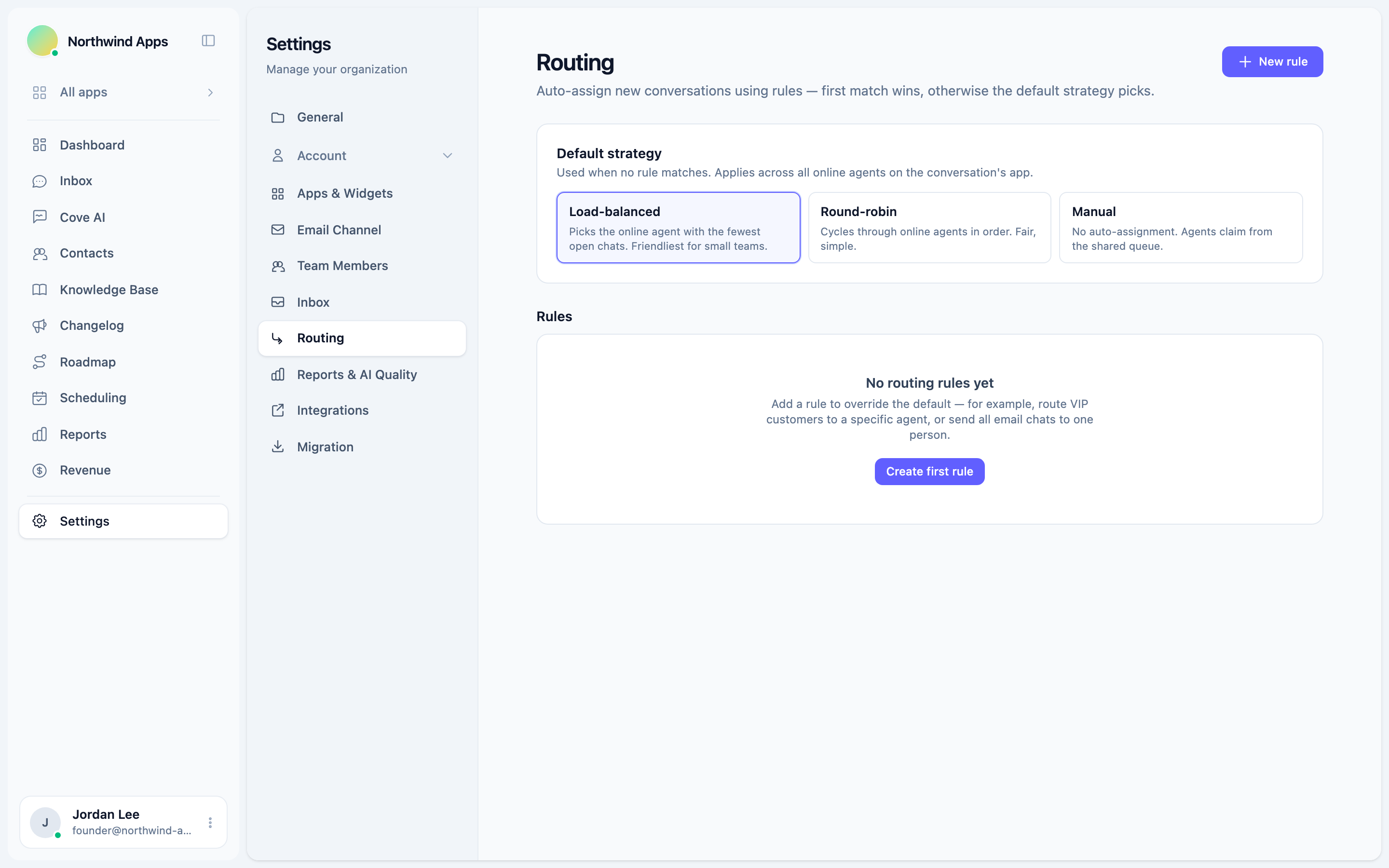
The default assignment strategy that runs when no routing rule matches - choose between load-balanced, round-robin, and manual.
When a new conversation doesn’t match any routing rule (or all matching rules used “Skip auto-assignment”), the default strategy picks the assignee. This is your baseline: it handles everything the rules don’t explicitly cover.
The three strategies
Go to Settings → Routing and select one of the three options in the Default strategy section.
Load-balanced (default)
Picks the online agent with the fewest currently open conversations. Good for small teams where you want work distributed evenly based on current load.
If two agents have the same number of open conversations, one is picked deterministically. Agents who are offline are skipped.
Round-robin
Cycles through online agents in a fixed order. The next agent in the sequence gets each new conversation, regardless of their current workload.
Good for: teams that want strict fairness in turn-taking, or where each conversation is roughly the same effort.
Manual
No auto-assignment. New conversations land in the shared queue unassigned. Agents claim them manually from the inbox.
Good for: very small teams that prefer to self-direct, or situations where routing is entirely handled by specific rules and you don’t want a fallback.
Setting the default
- Go to Settings → Routing.
- Under Default strategy, click the strategy you want.
- The change saves immediately.
Online-agent gating
All three auto-assign strategies (including the default) only assign to agents who are currently online. If no agents are online, the conversation stays unassigned until someone comes online and claims it or manual assignment is used.
See Online-agent gating for how availability is determined.
Rules take priority
The default strategy only runs when no rule has already assigned (or explicitly skipped assignment for) the conversation. Rules always take priority over the default.
If every agent is offline at the time a conversation arrives and your default is load-balanced or round-robin, the conversation will be unassigned. Make sure someone is always marked online during business hours, or use manual mode and have agents check for new conversations proactively.
Was this article helpful?
Thanks for your feedback!